
How to Colorize Black and White Photos (AI Guide for 2026)
How to colorize black and white photos with AI: prepare and restore the scan, get natural skin tones, check accuracy, and when to keep the original.
By Ayoub Farid · · 2 min read
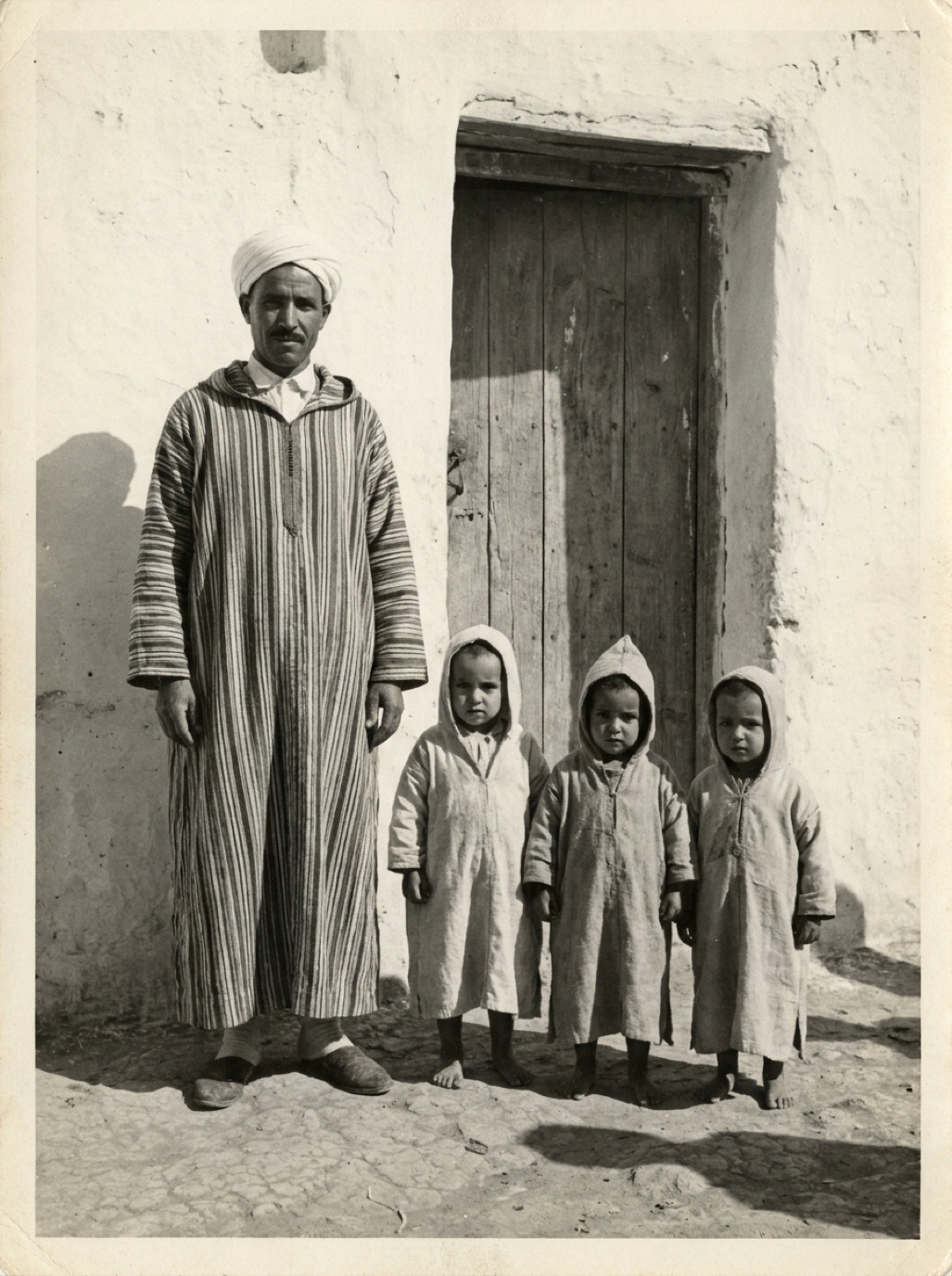
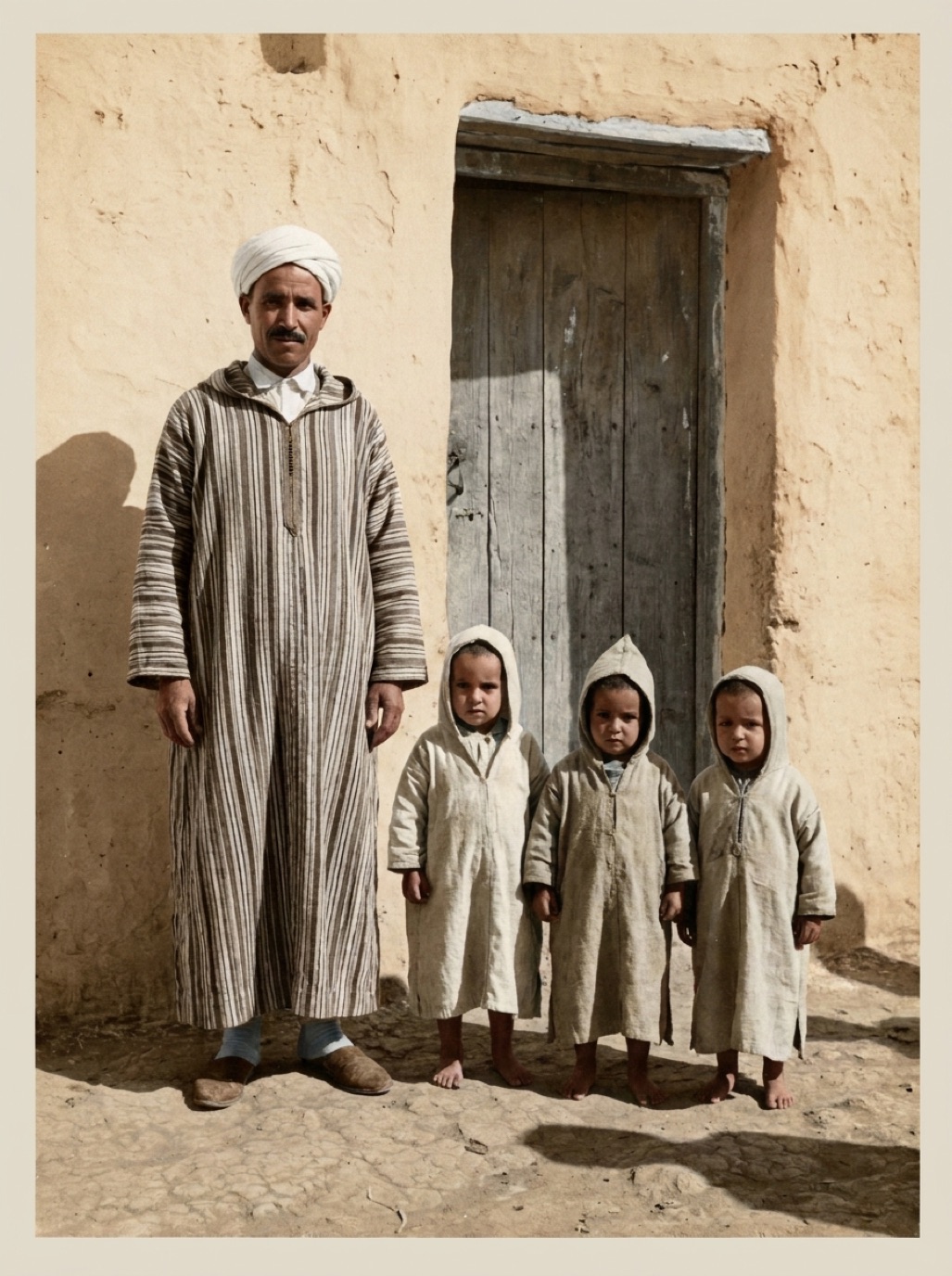
Seeing a black and white photo of your grandparents suddenly in color can be startling. The people seem closer, the clothing more real, the moment less distant. AI has made colorization a one-tap process, but good results still depend on a few choices you make before and after.
How colorization works
A black and white photo stores only brightness. A colorization model has learned, from millions of color photos, what colors usually go with which shapes, textures and contexts: skin, sky, grass, wool, brick. It predicts plausible colors for every area of your photo. It's an educated guess, not a recovery of the real colors. The technical side is explained in how AI colorization works.
Step 1: Start with a clean scan
Colorization amplifies whatever is in the image. Dust becomes colored specks; stains become colored blotches. Capture the print in soft, even light at a good resolution (see how to scan old photos).
Step 2: Restore before colorizing
Remove scratches, cracks and stains, and restore contrast first. With Refixo, the restoration and colorization happen together in the right order: damage removed, faces enhanced, then natural color applied.
Step 3: Colorize
In Refixo, choose your black and white or sepia photo and tap Restore. Then drag the slider between B&W and color to compare. The Moroccan family photo on our homepage shows the kind of result to expect (example images are AI-generated for illustration).
Step 4: Check the colors
Look for:
- Skin tones: natural and varied, not orange or grey.
- Color bleeding: color spilling over edges, such as skin tone on a collar.
- Clothing and uniforms: plausible, but not necessarily correct.
- Eyes and hair: AI defaults to common colors; if you know Grandma had blue eyes, the AI won't.
- Large uniform areas (sky, walls): even, not patchy.
What makes a photo colorize well
| Works well | More difficult |
|---|---|
| Sharp portraits and family groups | Very blurry or tiny faces |
| Outdoor scenes with sky and plants | Unusual uniforms and costumes |
| Good contrast | Faded, low-contrast prints (restore first) |
| Clean, undamaged prints | Heavy stains and cracks (restore first) |
Keep or colorize?
Colorization is a creative interpretation, not a correction. Many families keep both versions. Read should you colorize old photos? and the ethics of colorizing historical photos.
More colorization guides
- Colorize old family photos
- Colorize sepia photos
- Colorize old wedding photos
- Colorize military photos
- Colorize old landscape photos
- Colorize photos on iPhone
- Best photo colorizer apps
- Are colorized photos accurate?
- The history of hand-tinted photos
- When did color photography start?
Frequently asked questions
Can I colorize a black and white photo for free?
Many apps offer a free trial. Refixo is free to download with a 3-day free trial.
Are AI-colorized photos accurate?
They are plausible, not exact. Black and white film doesn't record color, so specific colors are guesses unless you have documentation.
Should I restore a photo before colorizing it?
Yes. Restoring first gives cleaner, more natural colors.
Can I colorize a sepia photo?
Yes. The warm tone is removed and replaced with natural colors.
Restore it in seconds
Bring your old photos back to life
Refixo's AI removes scratches, tears and stains, sharpens faces and colorizes black & white photos in seconds. Free to download on iPhone and iPad, with a 3-day free trial.
Download on theApp Store