
Colorize Old Landscape, Street and House Photos
Colorize old photos of landscapes, streets, villages and family homes with AI: what works, checking building colors and then-and-now comparisons.
By Ayoub Farid · · 2 min read
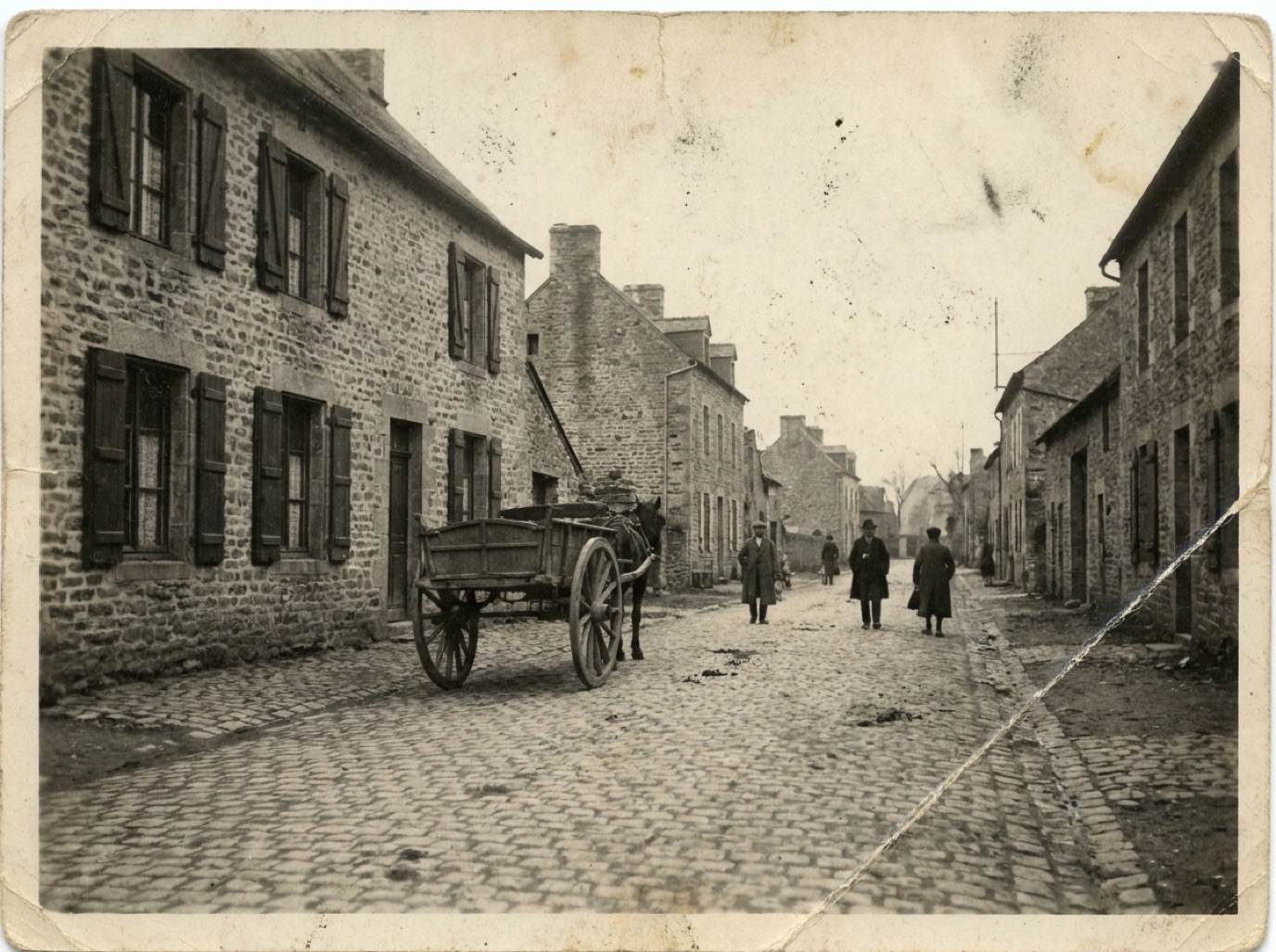
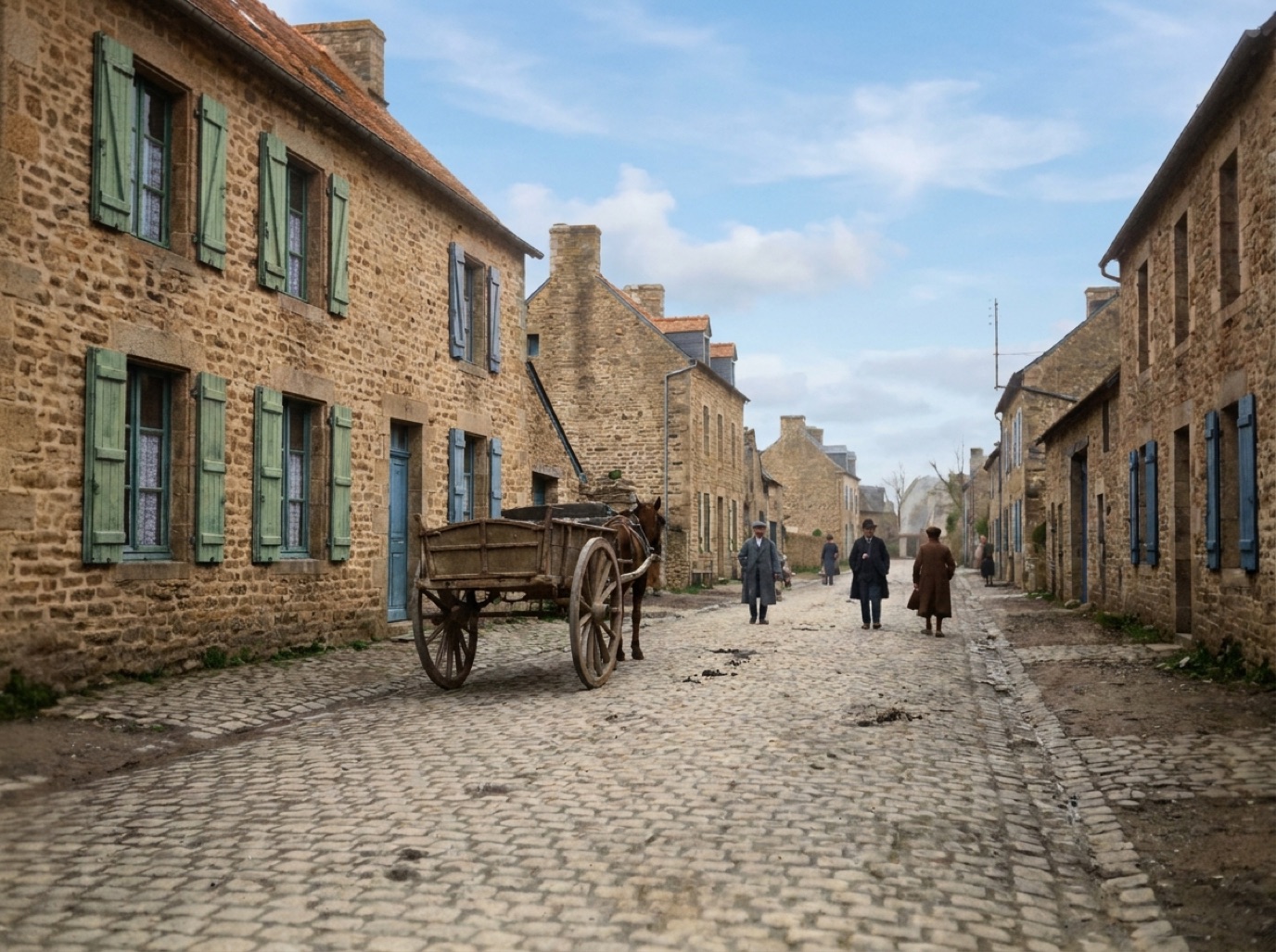
Old photos of places are as precious as old photos of people: the family farm, the street where your grandparents grew up, the village before the new road, the house that was sold decades ago. Colorizing them turns a grey record into a place you can almost walk into.
Why places colorize well
Landscapes and street scenes are full of things AI recognizes reliably:
- Sky, clouds, water: blue and grey tones.
- Trees, grass, fields: greens and seasonal browns.
- Stone, brick, earth, wood: natural material colors.
- Roads, paths, roofs: tile, slate and dirt tones.
That's why scenes like the village street on our homepage come back convincingly (an AI-generated example for illustration).
What needs checking
- Painted surfaces: doors, shutters, window frames, shop fronts and fences could be any color.
- Signs and lettering: shop signs, advertisements and street names.
- Vehicles: cars, buses and trams had specific liveries.
- Season: AI may choose summer greens for a late-autumn scene.
- Regional color: whitewash, ochre, terracotta and limestone vary by region.
Steps for better results
- Scan at high resolution; landscapes are full of small details (see best DPI for scanning photos).
- Restore first to remove dust and fading, which otherwise turn into colored noise. In Refixo, restoration and colorization happen in one pass.
- Compare with today: use street-level map imagery or visit to check building materials and colors that haven't changed.
- Ask local history groups: many towns have societies and online groups that know what the old shops and houses looked like.
Then-and-now projects
A colorized old photo next to a modern photo of the same view is a great family or community project:
- Find the exact spot and match the angle.
- Present them side by side in a book or post.
- Share with local history groups, crediting the original photographer if known.
Related: colorizing black and white photos, colorizing old family photos.
Old postcards and travel photos
Many families have old postcards and holiday snapshots of seaside towns, mountains and cities. These colorize well, and they're fun to compare with the same places today. If the postcard was originally hand-tinted, you can either restore the tinted look or colorize from a black and white scan (see the history of hand-tinted photos). Check for printed captions and stamps, which help you date the scene.
Frequently asked questions
Can AI colorize old landscape photos?
Yes. Landscapes and buildings are often among the most convincing colorizations because natural materials are predictable.
Will the colors of buildings be accurate?
Natural materials like stone and brick usually are; painted surfaces and signs are guesses unless you research them.
Should I restore before colorizing?
Yes. Dust and fading create colored artifacts if not removed first.
What resolution do I need?
Scan at 600 dpi or more for standard prints, especially for detailed street scenes.
Restore it in seconds
Bring your old photos back to life
Refixo's AI removes scratches, tears and stains, sharpens faces and colorizes black & white photos in seconds. Free to download on iPhone and iPad, with a 3-day free trial.
Download on theApp Store