
Mold on Old Photos: How to Stop It and Restore the Damage
Found mold on old photos? How to identify it, stay safe, stop it spreading, dry and clean prints carefully and restore mold spots digitally with AI.
By Ayoub Farid · · 2 min read
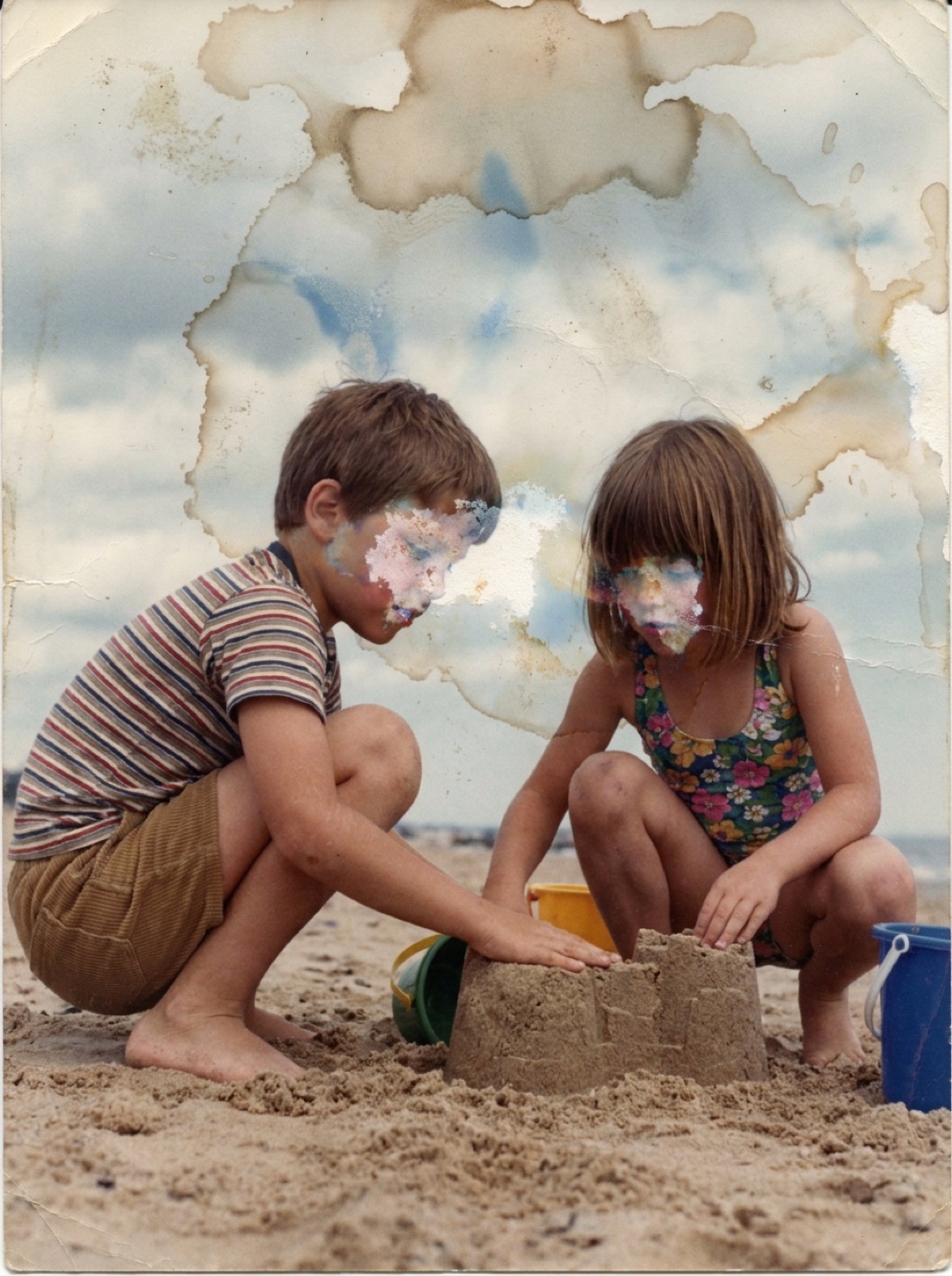

Fuzzy spots, a white bloom across the surface, a musty smell from the box: mold is common in photos that have been stored in damp places. It slowly eats the gelatin layer that holds the image. Acting quickly limits the damage, and digital restoration can fix much of what's left.
Is it mold?
- Fuzzy or powdery spots, white, grey, green or black.
- Irregular, spreading patches, often starting at edges.
- Musty smell.
- Sticky or soft areas of emulsion.
White haze that wipes off easily or is even across the print may be "bloom" from old varnish or residue rather than mold, but treat it carefully either way.
Safety first
Mold spores can affect your health, especially if you have allergies or asthma. Work in a well-ventilated area, ideally outdoors, and wear a mask and gloves. If a large collection is affected, consider a conservator or disaster-recovery service.
Stop the spread
- Isolate affected photos from the rest of the collection in a sealed bag.
- Dry the environment: mold needs humidity. Move photos to a dry room (ideally around 30–50% relative humidity).
- Let active (damp, fuzzy) mold dry before attempting any cleaning; it becomes powdery and easier to remove.
- Freeze wet, moldy photos in sealed bags if you can't deal with them right away.
Gentle cleaning (only when dry)
- Use a soft brush to lift dry, powdery mold off the surface, brushing away from you, outdoors.
- Don't use bleach, alcohol or water on the image side.
- If the emulsion is soft or the mold is embedded, stop and leave it to a conservator.
Digitize, then restore
Mold leaves stains and spots even after cleaning. Capture the photo (see how to scan old photos), then restore it in Refixo: the AI removes spots, stains and blemishes, restores contrast and enhances faces. Where mold has eaten away the image, the AI reconstructs plausible detail; compare faces carefully.
Prevent mold
- Never store photos in basements, garages, attics or near bathrooms.
- Use archival boxes on shelves off the floor.
- Keep humidity moderate and stable.
- Check boxes once a year.
See how to store old photos and restoring water-damaged photos.
Frequently asked questions
Can mold be removed from old photos?
Dry, surface mold can often be brushed off carefully. Stains and damage it leaves behind are best repaired digitally.
Is mold on photos dangerous?
It can be for people with allergies or respiratory issues. Work outdoors or in a ventilated space with a mask and gloves.
Should I throw away moldy photos?
Not before digitizing them. Isolate them, dry them, capture them, and restore the digital copy.
Can AI remove mold spots from a photo?
Yes. AI restoration removes spots and stains and reconstructs small areas where the image was lost.
Restore it in seconds
Bring your old photos back to life
Refixo's AI removes scratches, tears and stains, sharpens faces and colorizes black & white photos in seconds. Free to download on iPhone and iPad, with a 3-day free trial.
Download on theApp Store