
How to Fix a Torn Photo: Reassemble, Scan and Restore
How to fix a torn photo without making it worse: reassemble the pieces safely, scan them, and repair the tear and missing areas with AI or by hand.
By Ayoub Farid · · 2 min read
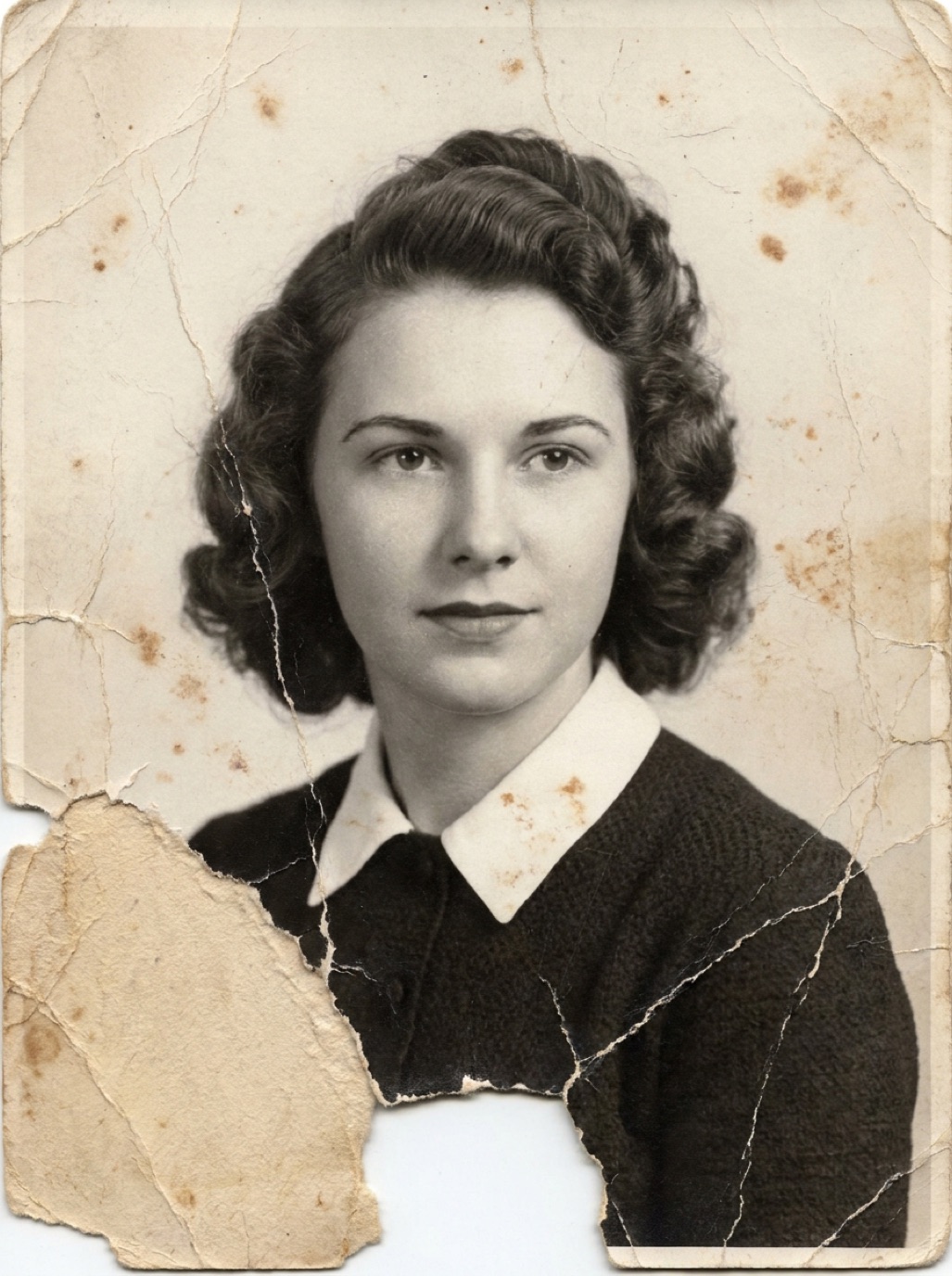
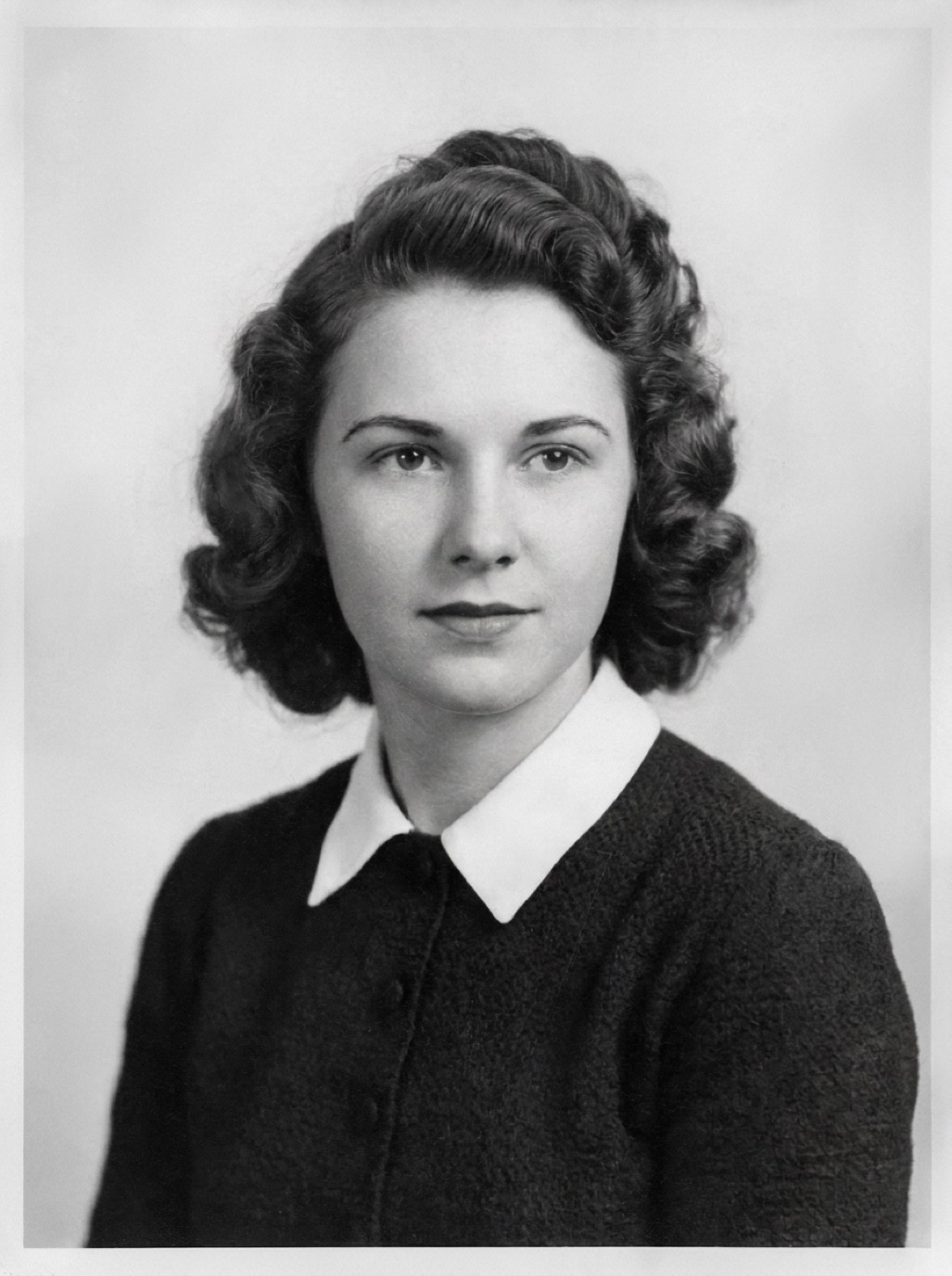
A torn photograph feels like a disaster, but a clean tear is one of the more repairable kinds of damage. The key is to avoid "fixing" the physical print with tape or glue, and to repair the digital copy instead.
Step 1: Don't tape it
Ordinary tape yellows, its adhesive seeps into the photo and it becomes nearly impossible to remove without further damage. Glue does the same. If you have already taped a photo, don't peel it off; scan it as is and let a conservator decide for valuable originals.
Step 2: Reassemble the pieces for scanning
- Lay the pieces face up on a dark, matte surface.
- Push them gently together so the edges meet. Tweezers help with small pieces.
- Cover with a clean sheet of glass from a picture frame if pieces curl (watch for reflections), or scan on a flatbed with the lid closed.
- Capture at the highest resolution you can (see how to scan old photos).
If a piece is missing, scan anyway; the gap can be reconstructed.
Step 3: Repair the tear digitally
With AI
In Refixo, choose the scan and tap Restore. The AI repairs the tear line, fills small gaps and removes the other damage that usually comes with it (creases, dust, fading). Check the area along the former tear: textures should continue naturally across it.
By hand
In an editor:
- Align any pieces that shifted, using separate layers if you scanned them separately.
- Use the healing brush along the tear line, sampling from both sides.
- Rebuild missing background with the clone stamp or content-aware fill.
- For missing parts of people, borrow from similar areas (the other sleeve, the other shoulder) and blend carefully.
Missing pieces: what to expect
| Missing area | Likely result |
|---|---|
| Corner of background | Excellent, background is easy to rebuild |
| Edge with part of clothing | Good, check patterns and buttons |
| Part of a face | Plausible, but may not match the real person |
| Most of a person | Not recoverable; consider cropping |
If a face is affected, read restoring damaged faces in photos. Sometimes another photo of the same person can help a retoucher, or help you judge the AI result.
Store the pieces safely
Keep the pieces together in an archival sleeve or envelope, labeled, after scanning. Don't throw them away, even after a perfect digital repair. See how to store old photos.
Frequently asked questions
Can I glue a torn photo back together?
It's not recommended. Household glue and tape damage photos over time. Keep the pieces together in a sleeve and repair the scan.
Can AI fix a photo torn in half?
Yes, if the pieces are scanned together with the edges aligned. The AI repairs the tear line and small gaps.
What if a piece is lost?
Small missing areas, especially background, can be reconstructed convincingly. Large missing areas of people are guesses.
Should I send a torn heirloom to a conservator?
For valuable or very old originals (tintypes, daguerreotypes, historic prints), yes. For typical family prints, scanning and digital repair is usually enough.
Restore it in seconds
Bring your old photos back to life
Refixo's AI removes scratches, tears and stains, sharpens faces and colorizes black & white photos in seconds. Free to download on iPhone and iPad, with a 3-day free trial.
Download on theApp Store