
How to Restore Water-Damaged Photos (Rescue, Dry, Repair)
Rescue and restore water-damaged photos: what to do in the first hours, how to dry prints safely, and how to remove water stains and tide marks digitally.
By Ayoub Farid · · 2 min read
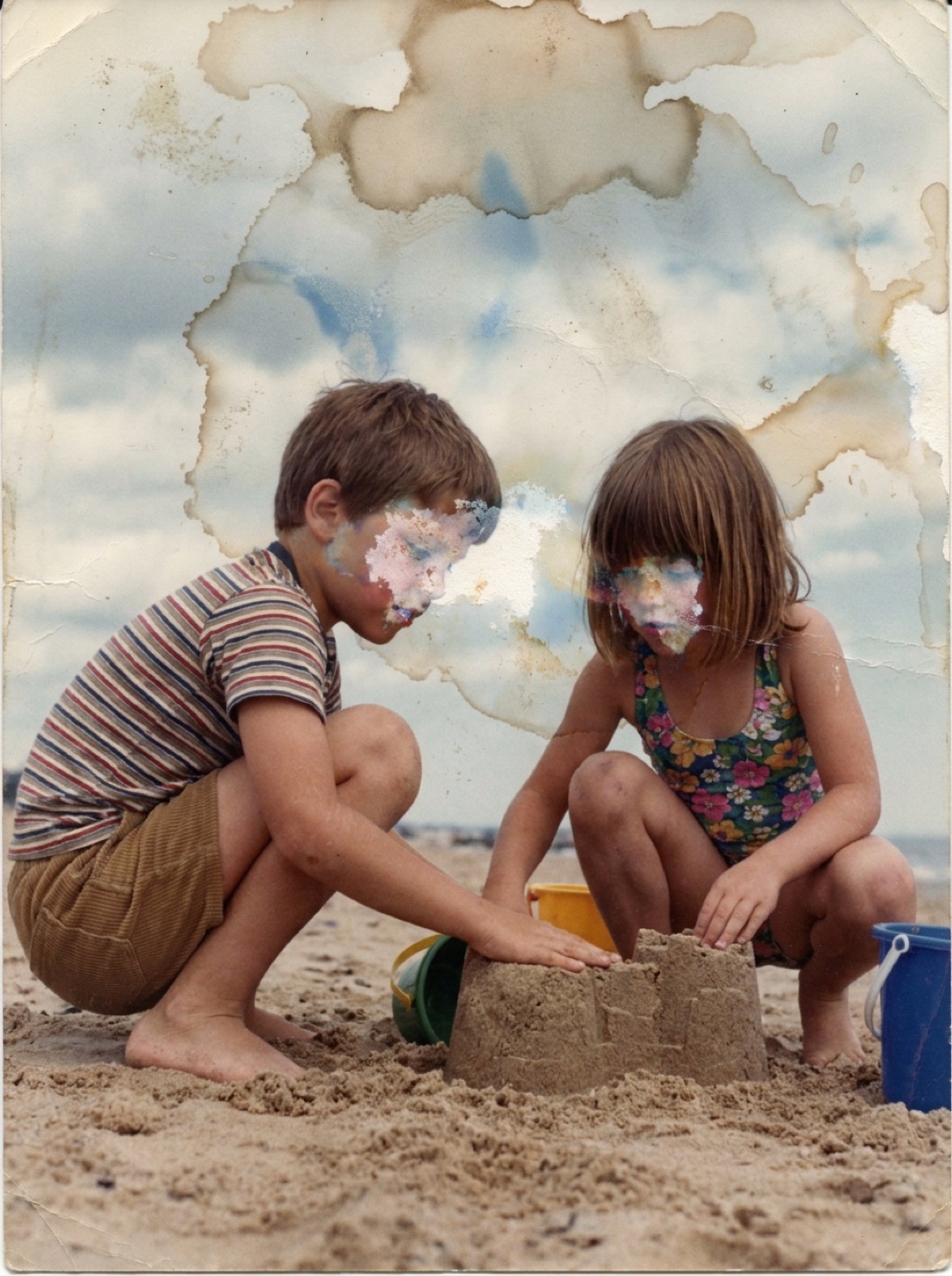

Water damage is one of the most heartbreaking things that can happen to a photo collection: a leaking pipe, a flooded basement, a spilled glass. Acting quickly and correctly can save many photos that look ruined at first, and AI restoration can remove much of the visual damage afterwards.
If the photos are still wet: act now
- Work within 48 hours if possible; mold starts quickly.
- Separate photos from each other gently while wet. Once they dry stuck together, separation is much harder (see separating photos stuck together).
- Rinse dirty water off with cool, clean water if needed. Don't rub the surface.
- Dry face up on paper towels or a clean towel, or hang by a corner with clothespins. No hair dryers, ovens or direct sun.
- If you can't dry them all now, put them in plastic bags (separated by wax paper) in the freezer. This pauses damage until you're ready.
For a flood, read our dedicated guide to saving photos after a flood.
Once dry: assess the damage
Typical water damage includes:
- Tide marks: brown or blue lines where water dried.
- Blotches: discolored areas, often in sky or background.
- Bleached patches: the image has partially washed away.
- Cockling: the print is wavy.
- Emulsion loss: parts of the image have lifted off.
Flatten wavy prints by placing them between clean paper under a few heavy books for a few days.
Digitize before anything else
Capture the dried print in soft, even light (see photographing prints without glare). Wavy prints reflect light unevenly; a scanner or a sheet of glass helps.
Remove water stains with AI
Water stains are irregular and cover large areas, which makes them slow to fix by hand. In Refixo, tap Restore: the AI removes stains and tide marks, reconstructs washed-out areas from surrounding detail, and restores natural color and contrast. The beach photo on our homepage is an example of the kind of transformation possible (example images are AI-generated for illustration).
When the image itself is gone
If water has washed away the emulsion completely in an area, there's nothing left to recover there, only to reconstruct. Background usually rebuilds well; faces less so. Compare carefully (see is AI photo restoration accurate?).
Prevent it next time
- Store photos above floor level, away from basements, attics, bathrooms and exterior walls.
- Use archival boxes, and plastic bins with lids in risky areas.
- Keep digital copies off-site (see how to back up family photos).
Frequently asked questions
Can water-damaged photos be saved?
Often, yes. Separate and dry them quickly, then digitize and restore the scans. Even badly stained photos can look good after digital restoration.
Should I use a hair dryer to dry wet photos?
No. Heat can make the emulsion stick, curl or crack. Air-dry face up at room temperature.
How do I remove water stains from a photo?
Not physically at home. Digitize the photo and remove the stains digitally with an AI restoration app or editing software.
What if the photos are stuck together?
Soak them in cool, clean water to soften the emulsion, then separate slowly. If they don't release easily, stop and consult a conservator.
Restore it in seconds
Bring your old photos back to life
Refixo's AI removes scratches, tears and stains, sharpens faces and colorizes black & white photos in seconds. Free to download on iPhone and iPad, with a 3-day free trial.
Download on theApp Store