
How to Fix Overexposed Old Photos (Washed-Out and Too Bright)
Fix overexposed old photos that look washed out: recover contrast and faces with AI or levels and curves, and learn what detail can and can't come back.
By Ayoub Farid · · 2 min read
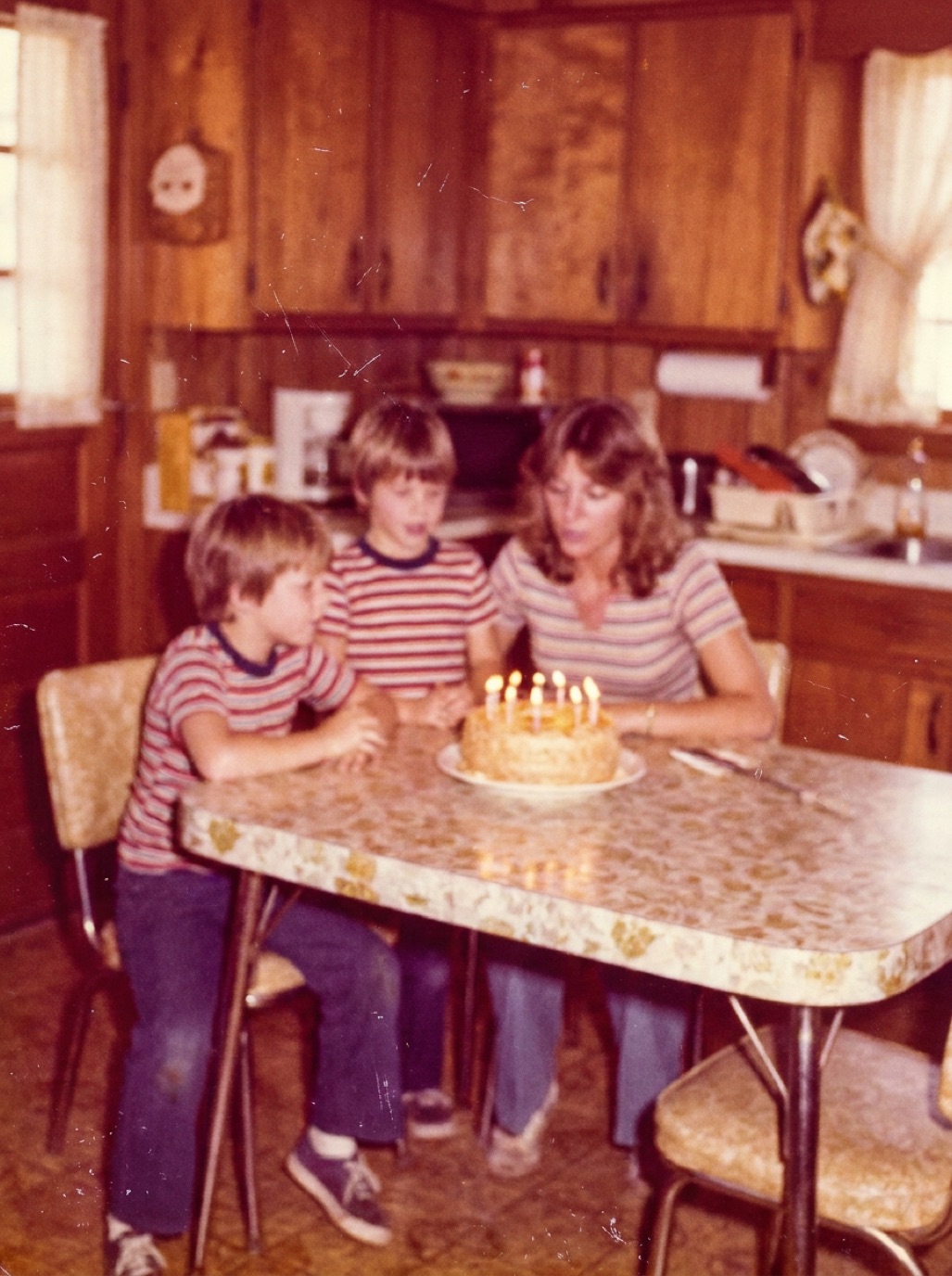
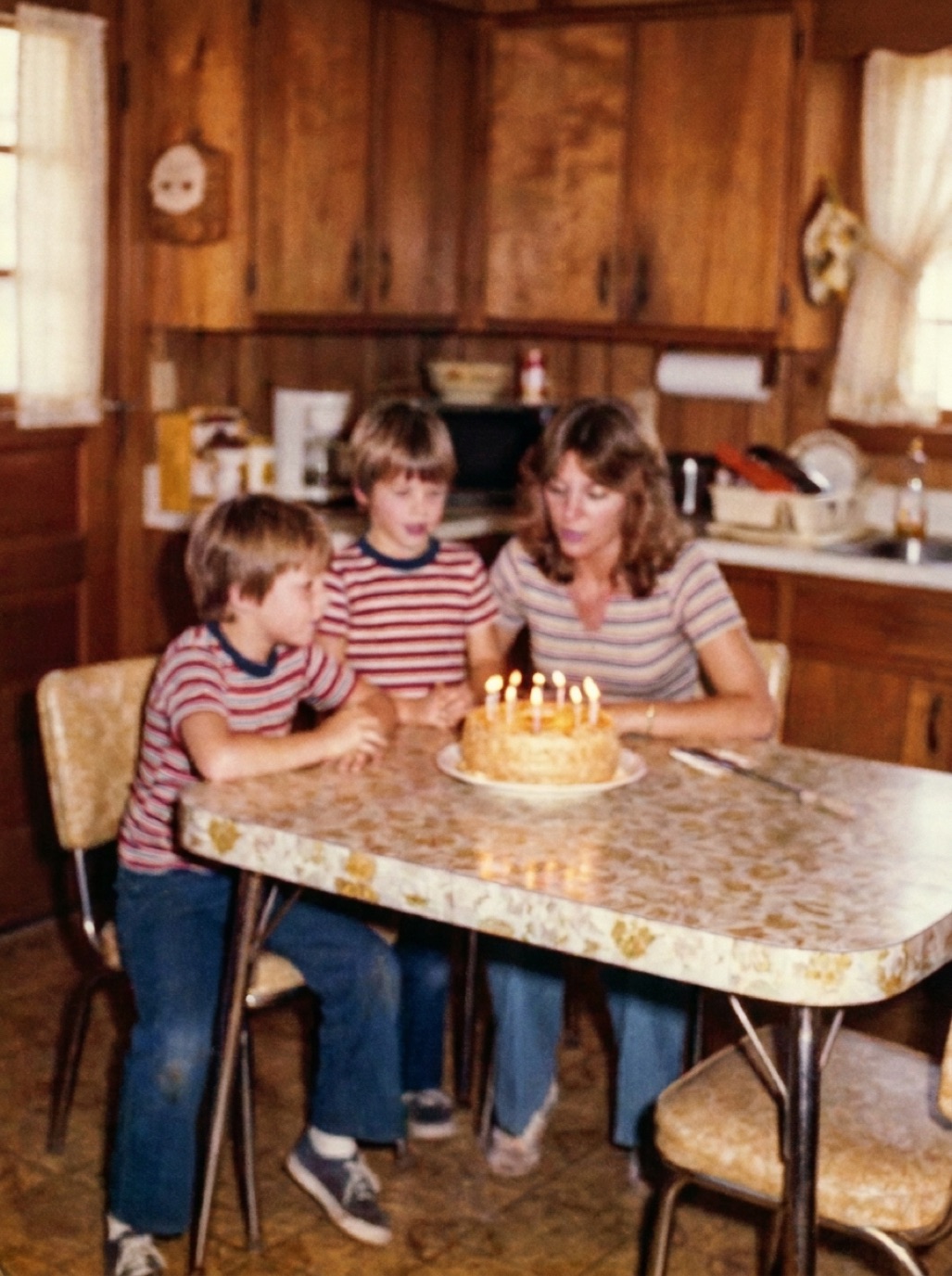
Some old photos were simply too bright from the start: a flash too close, a sunny beach, a box camera with a fixed exposure. Others became washed out as they faded. Either way, you get pale faces, white skies and grey shadows. Here's how to recover as much as possible.
Overexposed vs faded
- Overexposed: bright areas are pure white with no detail; usually the shadows still look reasonably dark.
- Faded: the whole photo has lost contrast and often has a color cast. Blacks become grey.
Many old photos are both. Faded photos respond very well to correction (see fixing faded photos); truly blown-out highlights can't be fully recovered, only reconstructed.
Capture carefully
Washed-out prints need a clean capture without glare, which would add even more brightness. Use soft light and avoid flash. If your phone's camera tends to brighten the scene, tap on the photo and slide exposure down slightly before taking the shot.
Fix with AI
In Refixo, tap Restore. The AI restores contrast, deepens shadows, recovers detail in faces and corrects colors, and removes any scratches or dust. Where an area is pure white with no information, the AI creates plausible detail; check faces against the original.
Fix by hand
- Levels: move the black point right until the darkest areas are truly dark.
- Curves: pull the highlights down slightly and add a gentle S-curve for contrast.
- Highlights slider (in Lightroom, Camera Raw or the Photos app): reduce it to recover detail in bright areas that still have some.
- Local adjustments: darken faces with a soft brush or radial filter if they're washed out.
- Avoid making it muddy: the goal is natural contrast, not a dark photo.
When you have the negative
If the family still has negatives, scanning the negative often recovers highlight detail that was lost in the print. See digitizing negatives with your phone.
Related: fixing dark, underexposed photos.
Overexposed group photos
In group photos taken with flash, people in the front row are often overexposed while those at the back are too dark. Fix the photo as a whole first, then use local adjustments: darken the front row slightly and brighten the back. AI restoration evens out much of this automatically, but a final local tweak can help. For small faces at the back, see sharpening faces in old photos.
Frequently asked questions
Can an overexposed photo be fixed?
Partially. Areas that still have some detail can be recovered. Pure white areas can only be reconstructed.
Why do old flash photos look so bright?
Early flashes were strong and close to the subject, which overexposed faces and left backgrounds dark.
Will AI make the photo look fake?
A good restoration restores natural contrast. Compare with the original and check that faces still look like the people.
Is it better to scan the negative?
Yes, if you have it. Negatives often contain more highlight detail than the print.
Restore it in seconds
Bring your old photos back to life
Refixo's AI removes scratches, tears and stains, sharpens faces and colorizes black & white photos in seconds. Free to download on iPhone and iPad, with a 3-day free trial.
Download on theApp Store