
How to Fix Faded Photos and Bring Back Their Colors
Why old photos fade and how to fix faded photos: restore contrast and natural colors with AI or manual levels and curves, plus how to stop further fading.
By Ayoub Farid · · 2 min read
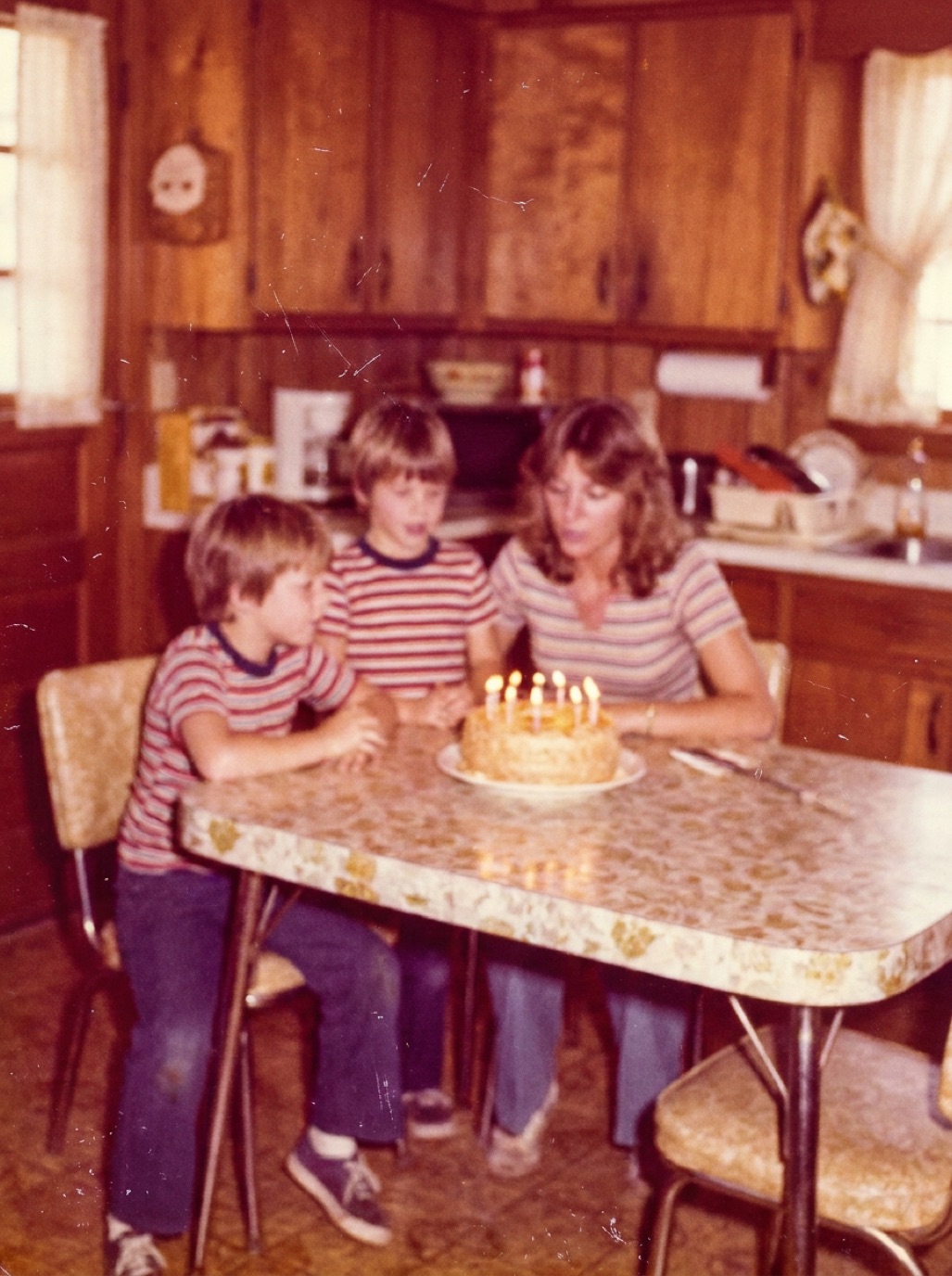
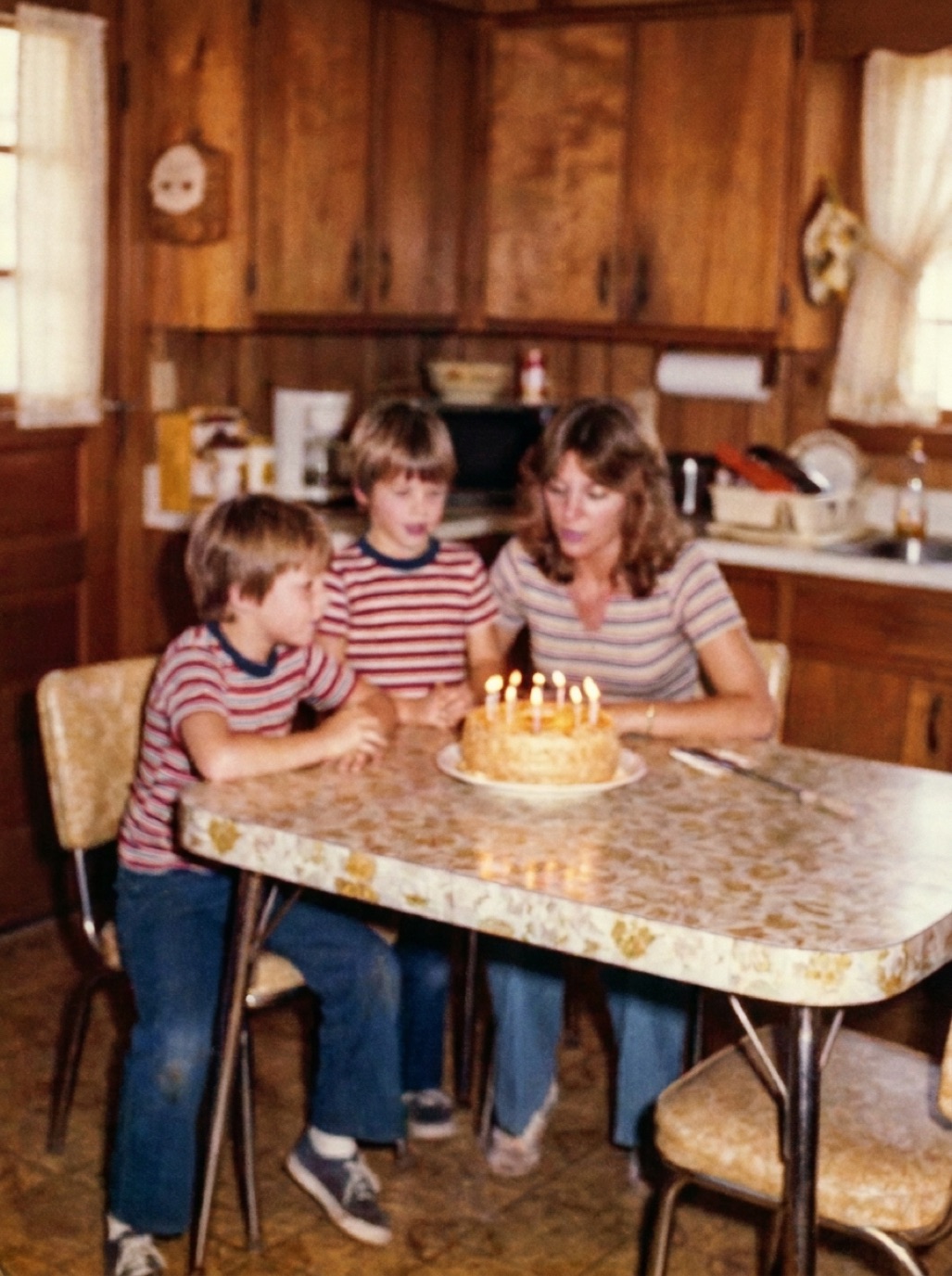
Fading is the quiet kind of damage. No rips or stains, just a photo that gets paler, flatter and more orange every year until the people in it seem to dissolve. The good news is that fading is often the most fixable damage of all, because the image is still there, just weaker.
Why photos fade
- Color prints from the 1960s–1980s use dyes that break down at different rates. Cyan often fades first, leaving photos orange, red or magenta.
- Light exposure (especially sunlight) accelerates fading. Framed photos on a sunny wall fade fastest.
- Heat and humidity speed up the chemical reactions.
- Black and white prints fade too, turning brownish or silvery, with lost shadows.
What "fixing" a faded photo means
- Restoring contrast: making the darkest areas dark and the brightest areas bright again.
- Correcting the color cast: removing the overall orange, red or yellow tint.
- Recovering saturation: bringing colors back to natural levels without overdoing it.
- Sharpening detail that got lost in the haze.
The AI method
In Refixo, choose the faded photo and tap Restore. The AI restores contrast, corrects the color cast and recovers detail, and removes the scratches and dust that usually come with old prints. The 1970s birthday photo on our homepage shows this kind of correction.
The manual method
In an editor (or the iPhone Photos app for light fading):
- Levels/Curves: drag the black and white points inward until they touch the edges of the histogram. This alone restores much of the contrast.
- Color balance per channel: in Levels or Curves, adjust red, green and blue separately. For an orange cast, reduce red and add blue/cyan.
- Neutral reference: use the gray-point eyedropper on something that should be neutral, such as a white shirt or grey pavement.
- Saturation: add a little, carefully. Faces should look natural, not sunburned.
This works well for mildly faded photos. Severe fading, where whole color layers have disappeared, is much harder to fix by hand.
Faded black and white photos
For faded monochrome prints, restore contrast and remove any brown tint, or keep a gentle sepia if you like the look. If you'd like to see the photo in color, restore first, then colorize (see colorizing sepia photos).
Stop further fading
- Keep originals out of direct sunlight; display a restored print instead (see preventing photos from fading).
- Store in a cool, dry, dark place in archival boxes.
- Digitize now, before the fading gets worse.
Related: fixing yellowed photos and restoring sun-damaged photos.
Frequently asked questions
Can a faded photo be restored to its original colors?
Very close, in most cases. Contrast and color balance can be recovered. If a dye layer is almost completely gone, colors are partly reconstructed.
Why do old photos turn orange or red?
The cyan dye in many older color prints fades faster than the others, leaving warm red and yellow tones dominant.
Can I fix faded photos on my iPhone?
Yes. Light fading can be improved in the Photos app with exposure, contrast and warmth. For heavy fading plus scratches, a restoration app is faster and more complete.
Does scanning stop fading?
Scanning doesn't stop the print from fading, but it preserves the image as it is today, so you won't lose more.
Restore it in seconds
Bring your old photos back to life
Refixo's AI removes scratches, tears and stains, sharpens faces and colorizes black & white photos in seconds. Free to download on iPhone and iPad, with a 3-day free trial.
Download on theApp Store